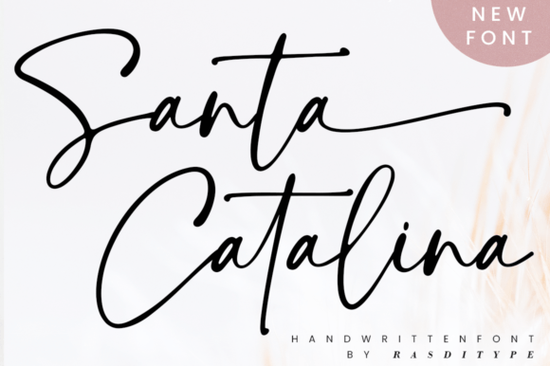
If you're looking for a handwritten font that feels both elegant and casual, Santa Catalina Font is a solid option. It's designed for logos, wedding stationery, photography watermarks, and modern websites. Its distinct, timeless style makes it a favourite among designers who need a personal touch without sacrificing readability. Since it's PUA encoded, you can easily access all the extra swashes and stylistic alternates no complicated software tricks needed.
What makes this handwritten font different from others?
Many script fonts look too polished or too messy. Santa Catalina finds a balance. The letterforms have a natural flow, but they're consistent enough to use for longer text. The font includes a full set of uppercase and lowercase letters, numbers, punctuation, and multilingual support. The best part? The OpenType features let you switch between standard letters and decorative swashes with a simple keystroke. This means you can create a custom look in seconds without editing vector paths. For example, you can stretch the tail of a capital Q or add a loop to a lowercase e all without extra software.
Which design projects work best with Santa Catalina Font?
This font shines in projects that need a friendly, handwritten feel. Here are some real uses from designers and small business owners:
- Logos and branding – The organic strokes give brands a human touch, especially for boutiques, bakeries, or lifestyle blogs.
- Wedding stationery – Invitations, save-the-dates, and thank-you cards look romantic without being overly floral.
- Photography watermarks – The semi-cursive style stays legible at small sizes.
- Social media graphics – Quotes and announcements feel authentic and less corporate.
- Print-on-demand products – T-shirts, mugs, and tote bags with short phrases look hand-lettered.
If you work with children's school fonts, you might also appreciate how Santa Catalina keeps a playful but readable shape it's not a handwriting font that distracts from the message.
How to install Santa Catalina Font and access all its features
Installing the font is straightforward. Download the file (usually TTF or OTF), double-click it, and hit "Install" on Windows or use Font Book on macOS. The magic happens after installation: open your design software (like Adobe Illustrator, Canva, or Affinity) and select Santa Catalina from the font menu. To access the swashes and alternate glyphs, look for a Swashes panel or OpenType menu. In most programs, clicking on a character will show you the variants. For instance, you can replace a simple letter L with a swash version that has a decorative curve. This is where the PUA encoding helps it maps each alternate to a keyboard character, so you can type them directly using a character map.
What are some alternative script fonts to consider?
Santa Catalina is lovely, but sometimes you need a different mood. The beautiful wildflower duo combines a script with a decorative floral font for layered designs. If you want a more vintage, calligraphy-like feel, Randy Sofia font pairs well with rustic or e-commerce branding. For projects aimed at children or parenting niches, baby boho font offers a lighter, softer touch. Browse the Santa Catalina page to compare similar weights and styles side by side before downloading.
Font pairing and styling tips
To get the most out of Santa Catalina, pair it with a neutral sans-serif like Open Sans or Lato for body text. The contrast works nicely: one decorative, one clean. For headlines, use it at 24pt or larger to show off the swashes. Avoid using it for long paragraphs handwritten fonts tire the eye quickly at small sizes. Instead, use it for short highlights, quotes, or call-to-action buttons.
Here's a quick styling checklist:
- Colour palette – Keep colours muted (rose gold, charcoal, cream) to let the font's texture stand out.
- Spacing – Increase letter spacing a little (+10 to +20) for modern layouts; decrease it for vintage looks.
- Background – Test on photos, solid colours, and patterns. The font works well over subtle watercolour textures.
- Accessories – Add a rule line or a simple icon to anchor the text.
Final practical tip
Before you start your next project, download Santa Catalina Font and test it in your design software. Try typing your brand name with a few alternate swashes. If you need extra inspiration, look at real examples on the product page you'll see how others have used it for logos, wedding suites, and watermarks. Grab it while it's on sale, and add it to your script font collection alongside the beautiful wildflower duo or Randy Sofia for variety. Happy designing!
Get Started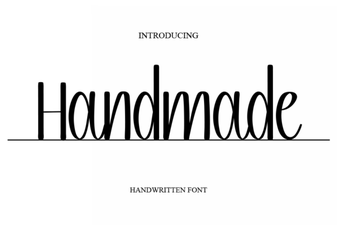 Handcrafted Font Designs for Creative Projects
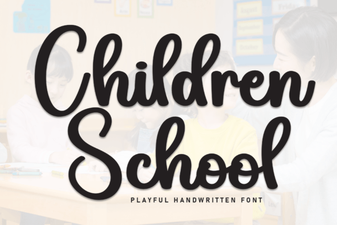 Creative Font Projects for Children's Learning
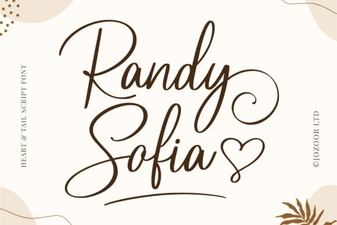 Randy Sofia Font for Clean, Modern Designs
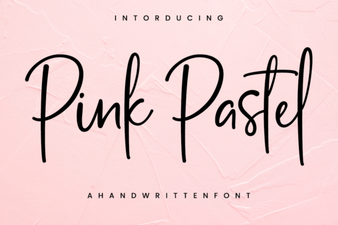 Pastel Pink Fonts: Elegant Design & Creative Project Ideas
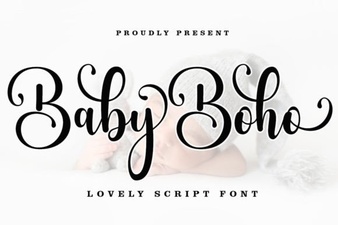 Design Your Nursery with a Boho Baby Font
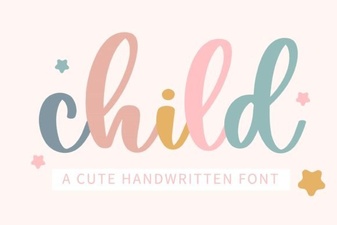 Perfect Fonts for Kids: Design Ideas & Free Downloads