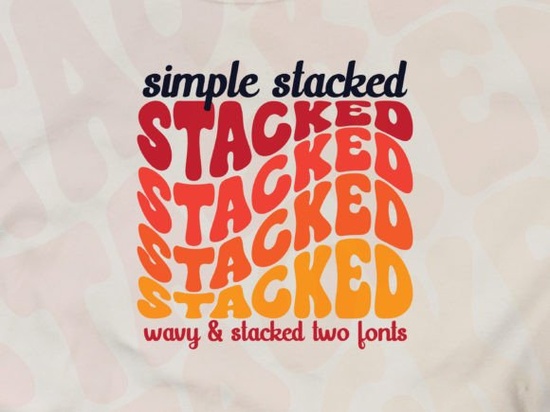
If you're looking for a font that captures the free-spirited energy of the 1970s with a modern twist, Simple Stacked Font is exactly what you need. This groovy font style features a wavy effect and triple rainbow layers, giving your text a playful yet stylish look. Perfect for retro-inspired branding, posters, t-shirts, and social media graphics, it works seamlessly in Adobe Illustrator.
What makes the Simple Stacked Font stand out for designers?
Unlike ordinary display fonts, Simple Stacked Font combines three visual elements that work together: a wavy baseline, stacked letterforms, and a colorful rainbow gradient. That triple rainbow effect isn't just decorative it creates depth without needing multiple text layers. For print-on-demand sellers, this means you can generate eye-catching product mockups faster.
Small business owners often struggle to make their brand look “vintage but not dated.” This font solves that by keeping the curves smooth and the readability high, even with the wavy distortion. It works especially well on:
- T-shirt designs – the rainbow layers pop on dark fabric mockups
- Logo headers – adds a nostalgic feel to boutique branding
- Social media quotes – short phrases become the focal point
- Event posters – birthday parties, retro nights, or music festivals
How can I use Simple Stacked Font in Adobe Illustrator?
Simple Stacked Font is designed to work with vector software. In Adobe Illustrator, you can install it as a standard OTF or TTF file. Once installed, apply the font to your text and experiment with the wavy effect some variations let you adjust the wave amplitude in the Character panel. For the rainbow coloring, use Live Paint or apply a linear gradient across the stacked layers.
If you're new to layered fonts, here’s a quick workflow:
- Type your word in Simple Stacked Font.
- Ungroup the text (if layers are separate) or expand the object.
- Add a gradient from left to right with three or more rainbow stops.
- Apply a subtle drop shadow to make the stack feel dimensional.
What other fonts pair well with Simple Stacked Font?
Because Simple Stacked Font is bold and decorative, it works best as a headline or accent. Pair it with a clean sans-serif for body text. A neutral font like Helvetica or Montserrat keeps the layout balanced. For a more cohesive retro vibe, try using a slightly distressed serif for supporting text.
If you enjoy the groovy look, you can also explore similar styles:
- Crafty Bloom Font – another playful display option with floral touches
- Farmstead Font – a rustic, hand-drawn feel for vintage branding
- Real Wavy Stacked Font – similar wavy stacked style with different curves
- Strawberry Milk Candy Font – sweet, rounded lettering for girly retro designs
- Barbie Vintage Font – inspired by 1950s and 60s typography
You can find more display font options by browsing our crafty font collection or checking the Farmstead category for handcrafted styles. For wavy effects specifically, the Real Wavy Stacked set is worth a look. If you prefer softer edges, Strawberry Milk Candy and Barbie Vintage offer rounded alternatives.
Where can I use this font for print-on-demand and branding?
Simple Stacked Font is versatile enough for both digital and physical products. Common projects include:
- Custom tote bags with retro slogans
- Wall art prints for home decor
- Album covers or playlist thumbnails
- Etsy shop banners and packaging stickers
- Logo wordmarks for vintage-themed cafes or clothing lines
Because the rainbow effect is built into the font design (not just a color overlay), you can resize it without losing the gradient quality – especially if you work with Adobe Illustrator's vector tools.
Is Simple Stacked Font safe for commercial use?
Each font on Creative Fabrica comes with its own license. Simple Stacked Font typically includes a standard commercial license when purchased, meaning you can use it for client work, merchandise, and branding. Always check the specific license file before using the font on products you sell. For most independent designers and small businesses, the included usage rights cover print-on-demand and digital products.
Quick checklist for getting started
Before you download and use Simple Stacked Font, run through this list:
- ☐ Install the font correctly (OTF recommended for Illustrator)
- ☐ Test the wavy effect on short words first
- ☐ Pair with a simple sans-serif for body text
- ☐ Use a dark background to make the rainbow layers pop
- ☐ Export your design as PNG or SVG for web use
Once you have the hang of it, try stacking two different groovy fonts together for a chaotic retro vibe – just be sure the text remains readable.
Download Now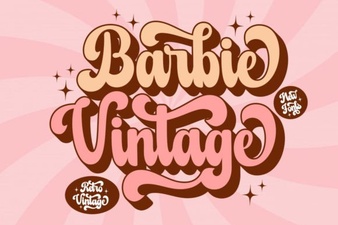 Vintage Barbie Fonts for Design & Craft Projects
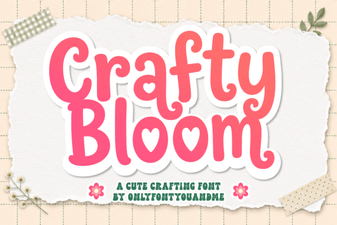 Crafty Bloom Font: Friendly Designs & Creative Uses
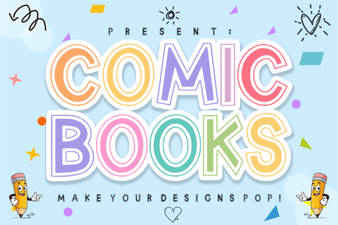 Best Comic Book Fonts for Your Creative Projects
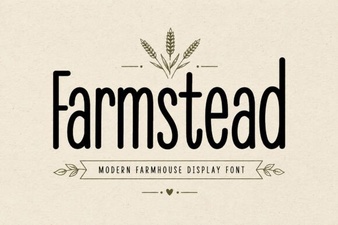 The Farmstead Font for Rustic Design Projects
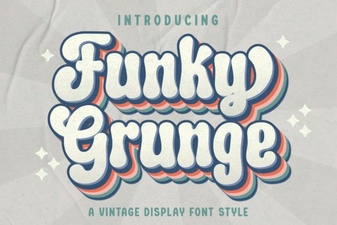 Grunge Fonts: Bold Designs & Creative Projects
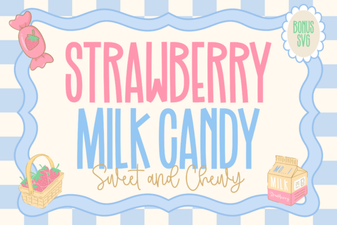 Font Style Ideas Using Strawberry Milk Candy