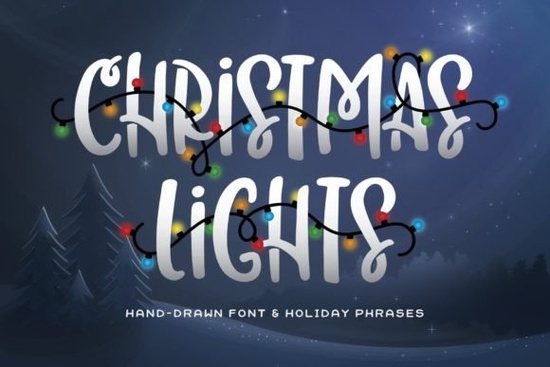
If you're working on holiday projects, the Christmas Lights Font is a bold, all-caps display font that stands out without trying too hard. It belongs to the Holiday Fonts category and includes pre-decorated words like "JOY" and "NOEL" with stringed lights already attached. This makes it a practical choice for cards, banners, or social media graphics where you want festive flair without spending extra time adding lights manually.
What makes this font different from other holiday fonts?
Most holiday fonts rely on serifs or cursive styles, but this one goes for a thick, blocky look that reads clearly even from a distance. The letters are uppercase only (all caps), which gives a consistent, sturdy feel. The real highlight is the bonus set of holiday words with lights wrapped around them. Instead of buying separate clip art or trying to add effects yourself, you get ready-to-use text elements that match the font perfectly. For designers working on print-on-demand products like mugs or T-shirts, this saves a ton of time.
The font weight is heavy, so it works well on dark backgrounds or with bright colors. The light bulbs are drawn simply no overly realistic details that clash with flat designs. That keeps the whole look cohesive.
Who can use the Christmas Lights Font?
- Print-on-demand sellers – Use it for holiday ornaments, hoodies, or tote bags. The bold letters survive well on fabric.
- Small business owners – Create your own Christmas cards, menus, or store signage without hiring a designer.
- Crafters – Perfect for scrapbooking, party decorations, or personalized gift tags.
- Hobbyists – If you make digital planners or stickers, this font adds a seasonal touch quickly.
The font comes as a single OTF/TTF file plus the decorated word extras. You can install it on any computer and use it in programs like Canva, Adobe Illustrator, or even Microsoft Word.
How do you use the decorated words in your design?
The pack includes several pre-made holiday words such as "MERRY," "JOY," "NOEL," and "HAPPY." Each one has lights draped along the top of the letters. To use them, just open the font folder and drag the individual word files (usually as images or vector elements) into your design software. They are already spaced and aligned, so you don't need to adjust kerning. If you want to create your own custom word with lights, you'll need to use the regular font characters and manually add light graphics, but the provided words cover the most common greetings.
For a more natural look, try pairing the font with a simple script. The Handmade Font, for example, adds a hand-lettered contrast that softens the bold capitals. Or if you need a brush-style accent, Peach Club Font gives a friendly script feel that works well for subtitles.
Where should you avoid using this font?
Because the letters are thick and all caps, it's not ideal for long body text. Save it for headlines, titles, or short phrases. Also, the decorated words are fixed – you can't adjust the light position without editing the vector file. If you need a fully customizable option, you may want to use the base font and add your own light shapes. But for most one-off projects, the ready-made words are a big time saver.
Similar fonts you might like
If you're building a holiday font collection, check out Black Sample Font for another bold display option, or WinterSnow Font for a more delicate snow-covered look. The I Heart You Font adds a cute heart motif if you want something less seasonal but still playful.
Quick checklist before you download
Before you use the Christmas Lights Font in a project, make sure you have:
- Installed the font correctly on your device (restart your design software if it doesn't show up)
- Tested the decorated words on different background colors – white lights look best on dark backgrounds, while colored lights work on light backgrounds
- Checked the commercial license if you're selling items – Creative Fabrica's basic subscription usually covers small business use
- Saved a backup of the original font file in case you need to reinstall
Pro tip: If you're using the base font (without lights), try adding a subtle glow effect behind the letters or using a bright color like red or green to mimic the holiday feel. The bold weight holds up well with texture overlays too.
Get Started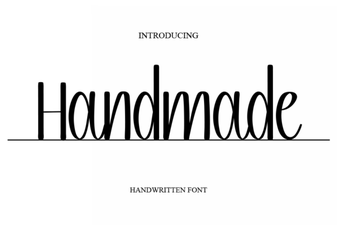 Handcrafted Font Designs for Creative Projects
 Creative Font Projects for Children's Learning
 Randy Sofia Font for Clean, Modern Designs
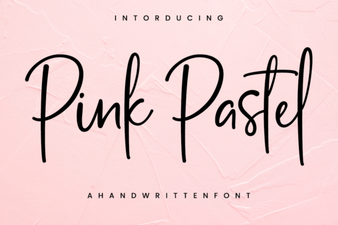 Pastel Pink Fonts: Elegant Design & Creative Project Ideas
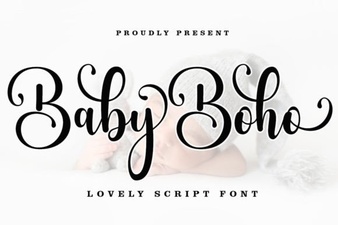 Design Your Nursery with a Boho Baby Font
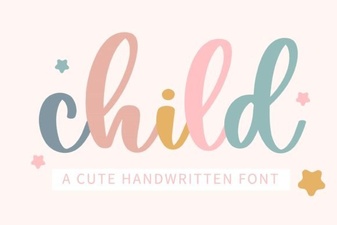 Perfect Fonts for Kids: Design Ideas & Free Downloads